Guide - Create an advertising campaign
Prerequisites before creating your campaign
Before starting your first campaign on CentrAds, make sure you have completed the following steps:
Create and set up your Business
You must have created at least one Business in CentrAds. If not yet, check our complete guide
Connect your ad platforms
Connect and validate the platforms where you want to run your campaigns:
Link your platforms to your Business
Once your ad accounts are connected, link them to your Business. This step is explained in the guide
Note: Platforms must be connected AND validated before you can create campaigns.
Example: Meta campaign
Step 1 : Open campaign creation
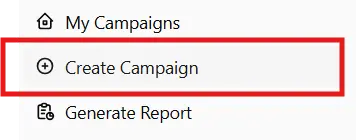
- Once all prerequisites are done, go to the "Create a campaign" section in the left menu.
Step 2 : Select the platform
- Choose the advertising platform where you want to run your campaign
- Only platforms with a connected account can create a campaign.
Step 3 : Define objective and campaign type
- Select your campaign objective according to your needs
- Then choose the campaign type suited to your platform and objective.
Step 4 : Follow configuration steps
- Complete the different steps to create your campaign:
- Fill in all required fields following the instructions at each step.
- Once everything is configured, click the validation button to submit your campaign.
- After validation, a pop‑up notification will indicate whether your campaign was accepted by the platform.
- Validation time: Some platforms may take up to 48 hours to validate your campaign.
4. Manage your campaigns after creation
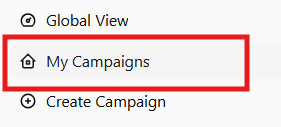
Go to "My Campaigns" to:
- View all active and past campaigns
- See real‑time performance
- Edit campaign settings
- Pause or stop a campaign
5. Analyze your performance
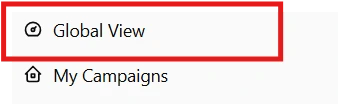
In the "Overview" section, you can:
- Compare performance of multiple campaigns on the same platform
- Analyze results across different platforms
- Identify the best‑performing campaigns
- Get optimization recommendations
- Visualize your data with real‑time charts
Steps summary
Prerequisites:
- ✅ Create a Business
- ✅ Connect and validate your platforms
- ✅ Link platforms to your Business
Campaign creation:
- ✅ Open "Create a campaign"
- ✅ Select the platform
- ✅ Choose objective and campaign type
- ✅ Configure the campaign settings
- ✅ Validate and wait for approval (up to 48h)
After creation:
- ✅ Manage your campaigns in "My Campaigns"
- ✅ Analyze performance in "Overview"
Estimated time: 5–20 minutes depending on complexity.
Need help?
If you encounter difficulties while creating your campaign, the CentrAds team can assist you.
Contact: admin@centrads.com